How to Redeem Chiikawa Evolution Codes
Enter codes correctly, fix common errors, and know where new rewards are announced.
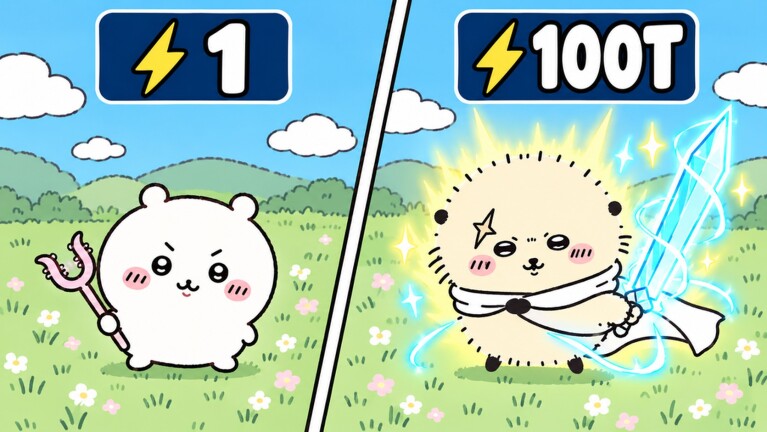
Why codes matter on day one
Promo codes in +1 Chiikawa Evolution can grant Wins, Diamonds, boosts, or other account-bound rewards that speed up wall clears and character unlocks. Because Wins and Diamonds persist through rebirth, a good code claimed early keeps paying off after every Power reset.
This page is the redemption manual: exact habits that prevent typos, troubleshooting for invalid messages, and where to watch for new drops from HVNstudio. For the working list itself, always open the Codes Hub—we do not invent codes on guide pages.
If you are still learning the pasture loop, redeem first, then train using Getting Started.
Step-by-step redemption
Roblox Evolution games usually hide codes in a shop, settings, or dedicated codes button after the world loads. Use this sequence:
- Launch +1 Chiikawa Evolution from Roblox and wait until the pasture UI fully appears.
- Finish any forced tutorial prompts so side buttons unlock.
- Look for a Codes, Shop, or Rewards button on the screen edges (common on left or right HUDs).
- Open the panel and find a text box labeled for codes or redeem.
- Copy a code from the Codes Hub—do not retype from memory if you can paste.
- Paste into the box. Remove accidental spaces before or after the string unless the code itself includes an internal space.
- Press Redeem / Submit.
- Confirm the reward toast or inventory change (Wins, Diamonds, boost timer, etc.).
- Equip any new Power-related reward if the drop included a character or gear piece (How to Unlock Characters, Chiikawa Roster).
- Return to your best training pad and continue the wall route (Walls and Worlds).
Redeem on a stable connection. Soft teleports mid-submit sometimes look like failures even when the server already granted the reward—check currency totals before retrying.
Case sensitivity and formatting tips
- Prefer paste over typing.
- Match uppercase and lowercase exactly if the code uses mixed case.
- Keep internal spaces if the published code includes them; strip outer spaces.
- Do not add punctuation from social posts (quotation marks, emoji, hashtags).
- Redeem one code at a time so you know which string succeeded.
When a creator posts a screenshot, trust the plain text list on the Codes Hub after maintainers verify it—images can crop characters.
Troubleshooting invalid or expired codes
“Invalid” / “Code does not exist”
- Recopy the string; watch for O vs 0 and I vs l.
- Confirm you are in +1 Chiikawa Evolution by HVNstudio, not a different Chiikawa Roblox experience.
- Join a new server after a fresh code drop; old servers can lag behind.
- Make sure the UI box is the codes field, not a search or chat box.
“Already redeemed”
- The code worked on this account earlier. Move to the next code on the list.
- Private / alternate accounts must redeem separately.
“Expired”
- Remove it from your personal notes and rely on the updated Codes Hub.
- Expiration often follows milestone events (visits, likes) or patch cycles.
No response when pressing Redeem
- Wait a few seconds for latency.
- Reopen the menu and check Wins/Diamonds/boost timers.
- Rejoin if the UI froze; check totals again before assuming failure.
Rewards feel missing
- Some rewards are timed boosts—look for buff icons rather than currency.
- Character or gear rewards still need equipping.
- Rebirth does not delete code Wins/Diamonds, but it does reset Power, so a Power boost timer may feel weaker right after a reset until you rebuild (How to Rebirth).
Where new codes are announced
Check these channels regularly:
- HVNstudio group and game page — milestone codes often land with likes/visits announcements.
- In-game update banners or lobby messages after patches.
- Official social accounts linked from the group, when available.
- This wiki’s Codes Hub and Latest Patch Notes after maintainers verify drops.
- Community Discords and reliable Roblox code aggregators—still verify in-game before celebrating.
We intentionally do not invent codes in articles. If a string is not listed as active on the hub, assume it is unverified.
When to redeem during a play session
Best practice order:
- Join and redeem all active codes.
- Equip any Power-related rewards.
- Train on the best pad and break walls for Wins (How to Get Wins).
- Spend Wins on characters that survive rebirth.
- Rebirth when multipliers demand it, knowing code currencies remain.
Redeeming mid-fight with a full inventory of unclaimed pads is fine, but redeeming before a long AFK or chain session is smarter so boosts cover the grind.
Codes etiquette and safety
- Never pay a stranger for “secret codes.”
- Never enter codes into phishing sites that ask for your Roblox password.
- Only use the in-game redeem box while logged into your own account.
- Be careful with third-party auto-redeem scripts; read Auto Farm Overview for genre risks.
Related links
- Codes Hub — active and expired lists
- Getting Started — day-one order of operations
- How to Get Wins — spend code Wins wisely
- How to Unlock Characters — convert currency into Power
- Latest Patch Notes — update-tied code waves
- Updates Hub
Codes are free progression—treat redemption like claiming a wall pad: do it carefully, confirm the reward, then put the currency to work on permanent upgrades. Keep the Codes Hub bookmarked, paste cleanly, and re-check after every HVNstudio announcement so you never leave Wins sitting in an unredeemed string.
Frequently Asked Questions
Quick answers for Chiikawa Evolution players.
Where do I redeem codes in Chiikawa Evolution?
Open the in-game Codes, Shop, or Rewards panel after the world loads, paste a working code into the redeem box, and submit. Check the Codes Hub for verified strings.
Why does my code say invalid?
Common causes are typos, expired codes, wrong game, or a stale server. Paste again carefully, confirm you are in HVNstudio’s +1 Chiikawa Evolution, and try a fresh server.
Do code rewards survive rebirth?
Wins, Diamonds, gear, and characters from rewards follow the normal keep rules—they persist. Power and Level still reset on rebirth, and timed boosts can expire on their own timers.
Where are new Chiikawa Evolution codes announced?
Watch the HVNstudio group and game page, in-game update messages, linked socials, and this wiki’s Codes Hub after verification. We do not publish unverified invented codes.